Time your newsletter and posts
Send and publish shortly before your audience is online.
Publish when your audience is online. The busiest times report shows every weekday and every hour as a coloured cell, so peaks and quiet hours are obvious at a glance.
The report sits on the overview of every website.
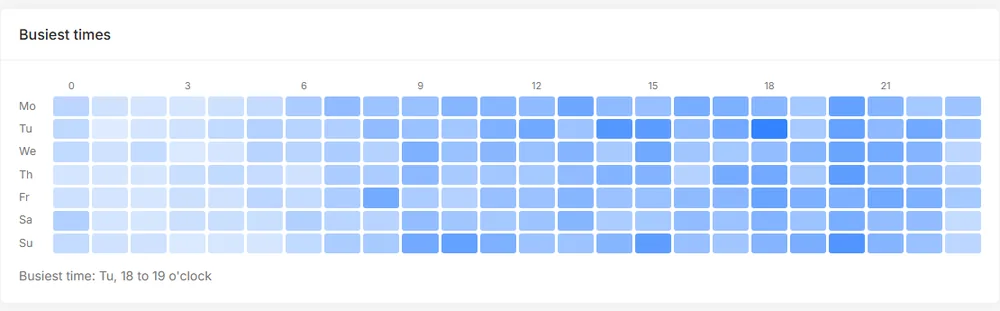
Send and publish shortly before your audience is online.
Pick the quietest hours for updates and deployments.
Evening readers and lunch break readers behave differently. The grid shows which one you have.
Nothing to set up. The report is built from the time of each visit in the selected period, so a longer period gives a more reliable picture.
Combine it with the click filters to compare, for example, mobile and desktop visitors.
See it live: Open the public demo statistics of a real website.
In the time zone set for your account, or the default of the service if you are not signed in.
Yes. Every plan includes all reports.
No. It only counts how many visits fall into each hour. Nothing connects the visits to a person.
Create a free account in seconds, add one line of code and see your first visitors live. No cookies, no credit card.