Check one audience
Filter to mobile visitors and see which pages they read and where they come from.
You see that most visitors come from one country or one source and want to know more. Click the funnel next to a row and every report of the website shows only those visits.
A filter applies to the overview and to every report of the website, so the numbers always match.
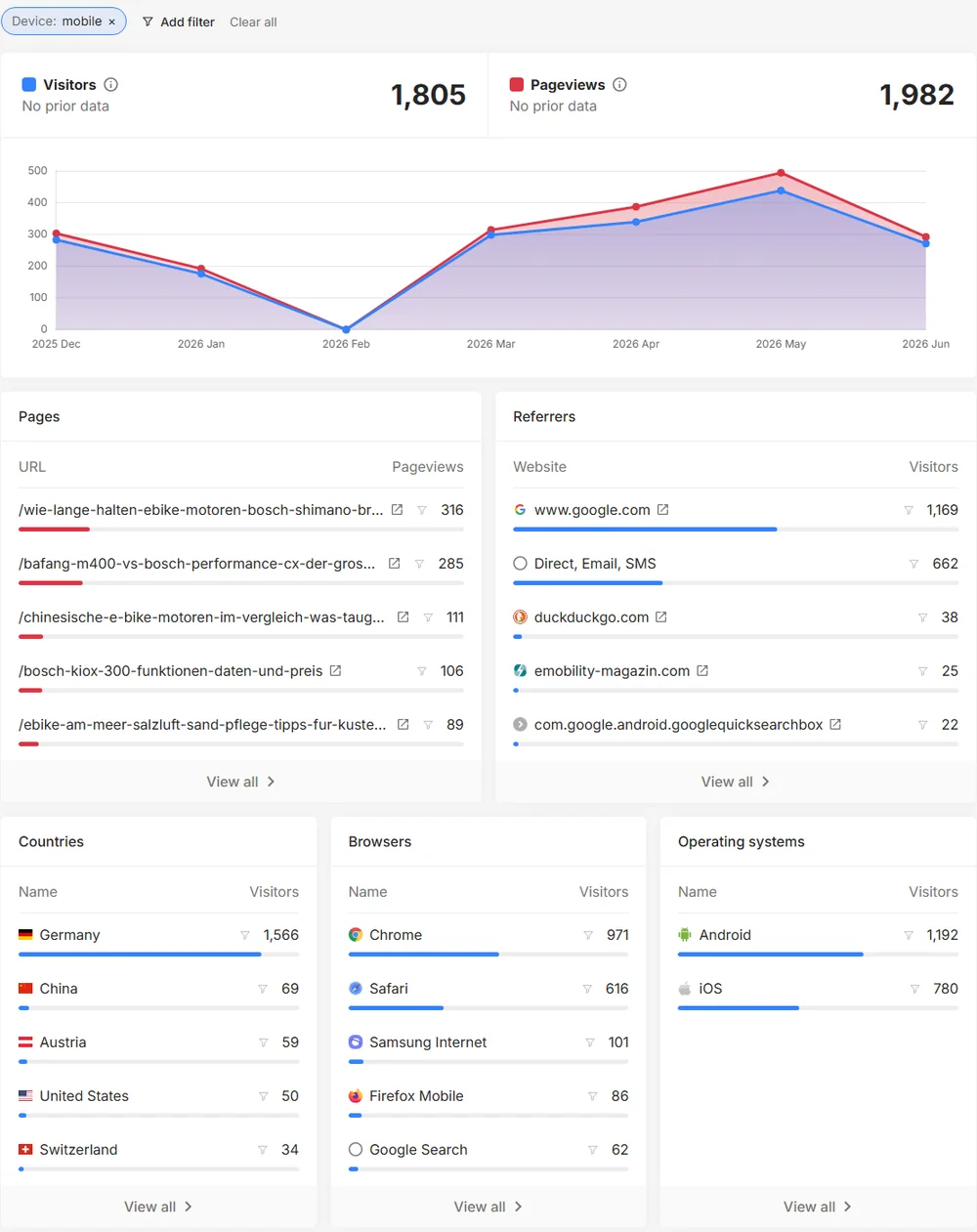
Filter to mobile visitors and see which pages they read and where they come from.
Click a referrer and look at the pages, countries and devices of exactly those visitors.
Filter by country and find out whether a page works in one market but not in another.
Filter by campaign and see the pages and devices of its visitors.
Open a report of your website and click the funnel icon next to a value, or use "Add filter" above the report. The overview, the lists and the busiest times then show only the matching visits. "Clear all" removes every filter.
Custom events have no attributes such as country or device, so the events report is not filtered. The filter bar tells you when that is the case.
See it live: Open the public demo statistics of a real website.
Pages, referrers, countries, cities, languages, browsers, operating systems, devices, screen sizes and campaigns.
Yes. All active filters apply together, and you can remove each one separately.
Yes. While a filter is active, click "Save filter" and give it a name. You find it under "Saved filters" on every report of that website. You can save up to 20 per website, and only you can see them.
No. A filter only changes what the report shows. Nothing is deleted.
Yes. Every plan includes it.
Create a free account in seconds, add one line of code and see your first visitors live. No cookies, no credit card.